- Home
- How It Works
How Mixero works: how to mix bitcoin step by step
A mixing order takes a few minutes to set up. Here is what happens at each stage, what you control, and what the mixer does on its side.

The idea in one picture
A bitcoin mixer works like a currency exchange desk that holds a large reserve. You hand over your coins and receive other coins of the same total value, minus a fee. Because the coins you get back come from a different source, there is no direct line on the blockchain between your deposit and your payout.
Mixero adds three things on top of that basic model: the payout can be split across several addresses, each part can be delayed independently, and the fee is variable, so the amounts do not match in an obvious way.
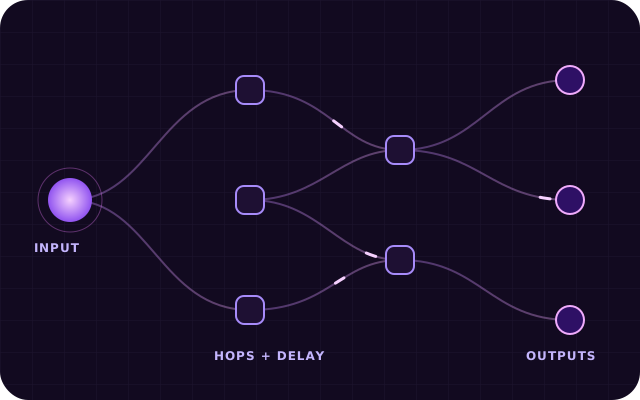
Five stages of a Mixero order
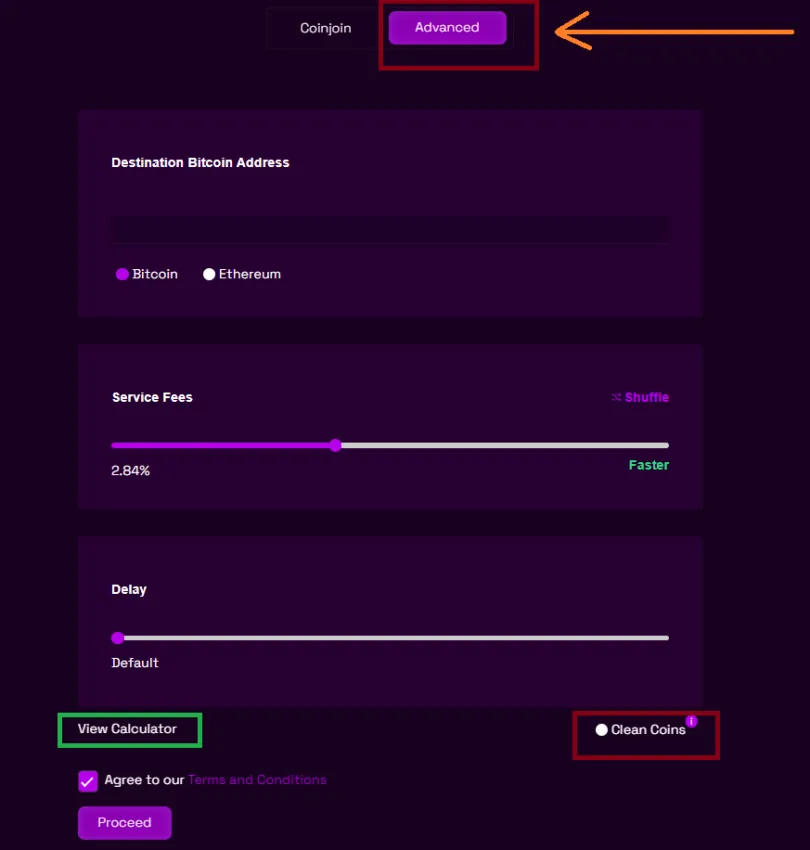
Choose a mode and destination
Open the order form and pick the mode. Enter the address that should receive the coins. On the Advanced mode you can add up to ten addresses and set what share of the total each one gets.
Set the fee and delay
Move the fee slider to the level you prefer and choose a delay. The fee is not a fixed number on purpose: a variable fee means the amount you receive cannot be calculated from the amount you sent.
Send the deposit
Mixero generates a one-time deposit address for your order. Send any amount above the minimum. After the required network confirmations, processing starts automatically.
Funds are routed and split
Your deposit is added to the reserve. Coins from unrelated earlier deposits are then sent out in several transactions of different sizes, released according to your schedule.
Receive and verify
The coins arrive at your addresses. Once the last payment is confirmed, the order record is deleted from the system, and the deposit address is never used again.
What happens behind the scenes
While you wait, the Mixero mixer keeps your deposit and your payout strictly apart. Incoming coins go to the reserve and stay there; outgoing payments are assembled from other coins that already have their own, unrelated history. Payouts are built as normal transactions with standard fee levels, so they do not stand out among the thousands of everyday bitcoin transfers made each hour.
If you chose several outputs, each one is sent as a separate transaction at its own time. This is the part of bitcoin mixing that matters most: an observer sees neither a direct link nor a matching amount nor a telling moment in time. You can follow the progress on the order page, which shows the status of every output until the last one is confirmed.
CoinJoin mode or Advanced mode?
The form offers two modes. CoinJoin combines your coins with those of other users in a shared transaction. It is simple and inexpensive, and suits smaller everyday amounts. Advanced uses the Mixero reserve, supports several output addresses and lets you set the delay for each of them, which gives the strongest separation between input and output.
A few habits that help
- Use a fresh receiving address for every order rather than one you have used before.
- Avoid withdrawing the exact amount you deposited; split it, or let the variable fee change it.
- Do not send the mixed coins straight back to the wallet they came from.
- Keep the order summary until all payments have arrived, then you can discard it.
The Mixero BTC tumbler handles the technical part, but these habits decide how much privacy you really keep. If you want the background on why each of them matters, the bitcoin privacy guide explains it in plain language. Costs for each mode are listed on the fees page.