Up to 10 output addresses
Spread the result across several wallets. Each output is a separate transaction with its own history.
The Advanced mode is built for people who want to decide exactly how their coins come back: to how many addresses, in what proportions and at what time.

The standard CoinJoin mode in the Mixero form combines your coins with those of other users in one shared transaction. It is simple and works well for smaller sums. The Advanced mix takes a different route: your deposit goes to the Mixero reserve, and the payout is assembled from unrelated coins, split into parts and released on a schedule you set.
The difference matters most when amounts are larger or when timing is important. A single payout of the same size, sent shortly after a deposit, is the easiest pattern to match. Several outputs of uneven size, released hours apart, are much harder to connect with anything at all.
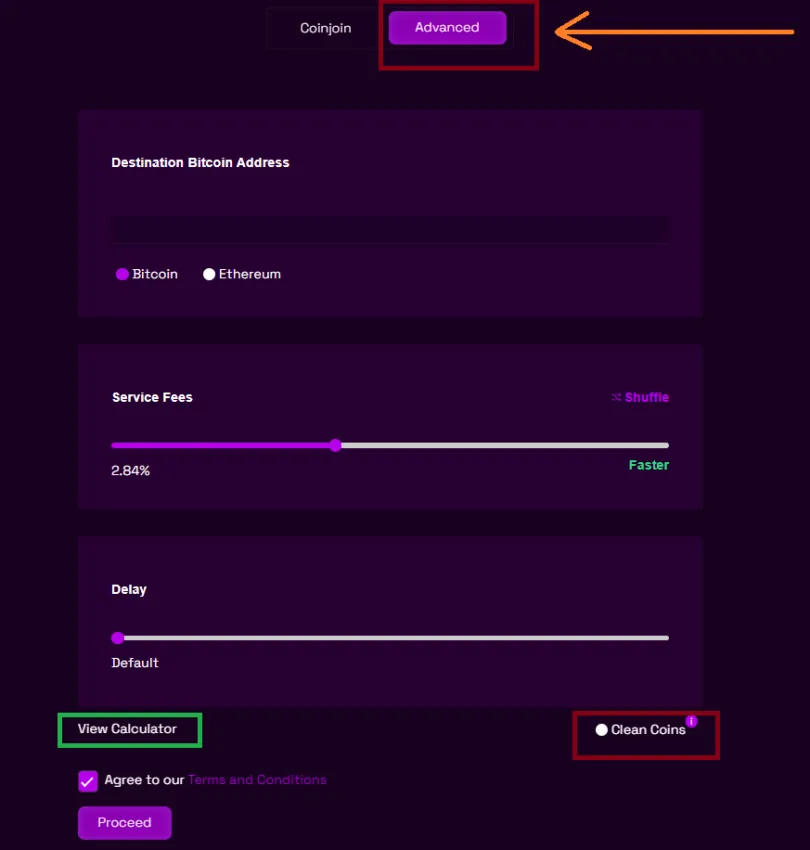
Spread the result across several wallets. Each output is a separate transaction with its own history.
Set what percentage of the total each address receives, so no payout mirrors the original deposit.
Every address can get its own release time, from about an hour up to two days after confirmation.
Pick the exact fee on the slider within the 2–4.5% range. The final amounts are shown before you pay.
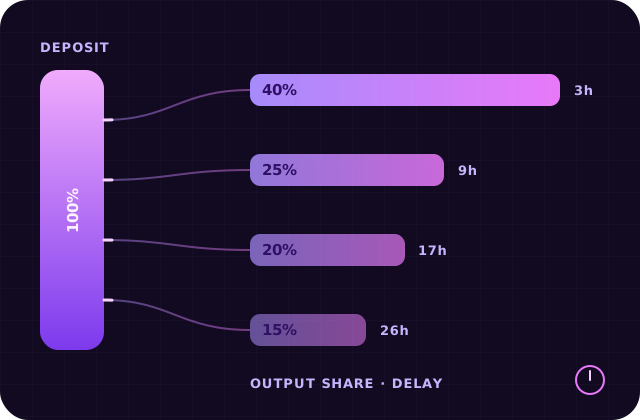
Here is how a typical Advanced order might be set up. The deposit is divided into four outputs. None of them is a round share of the total, and each is released at a different time.
| Output | Share | Delay |
|---|---|---|
| Address 1 | 40% | 3 hours |
| Address 2 | 25% | 9 hours |
| Address 3 | 20% | 17 hours |
| Address 4 | 15% | 26 hours |
From the outside, these look like four ordinary payments to four unrelated wallets spread across more than a day.
The general flow of an order is described on the How Mixero works page, and the Advanced plan pricing is on the fees page.
| CoinJoin mode | Advanced mix | |
|---|---|---|
| Source of payout | Shared transaction | Mixero reserve |
| Output addresses | One | Up to 10 |
| Delay | One for the order | Separate for each output |
| Best for | Small, routine sums | Larger amounts, flexible payouts |
Up to ten. Each address gets its own share of the total and its own delay, and you can use fewer if that suits the amount better.
No. The delay only changes when each output is released. The price depends on the service fee you choose on the slider and on the network fee for each outgoing transaction.
The shares and delays are fixed once the deposit is confirmed, because the payout schedule is built from them. Review the order summary carefully before you send the coins.